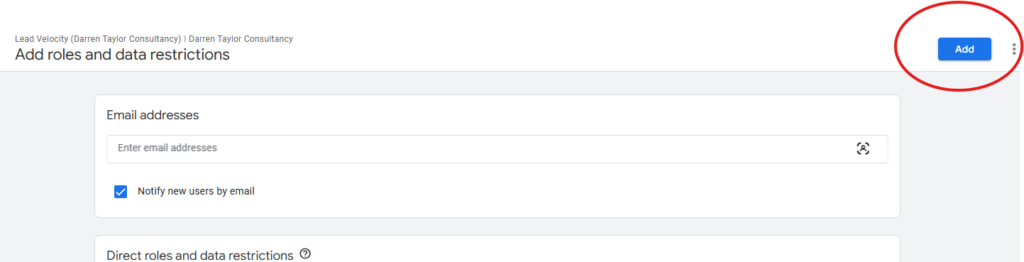
Log in to your Google Analytics account by going to https://analytics.google.com/
Once logged in, navigate to the admin gear icon in the bottom right corner
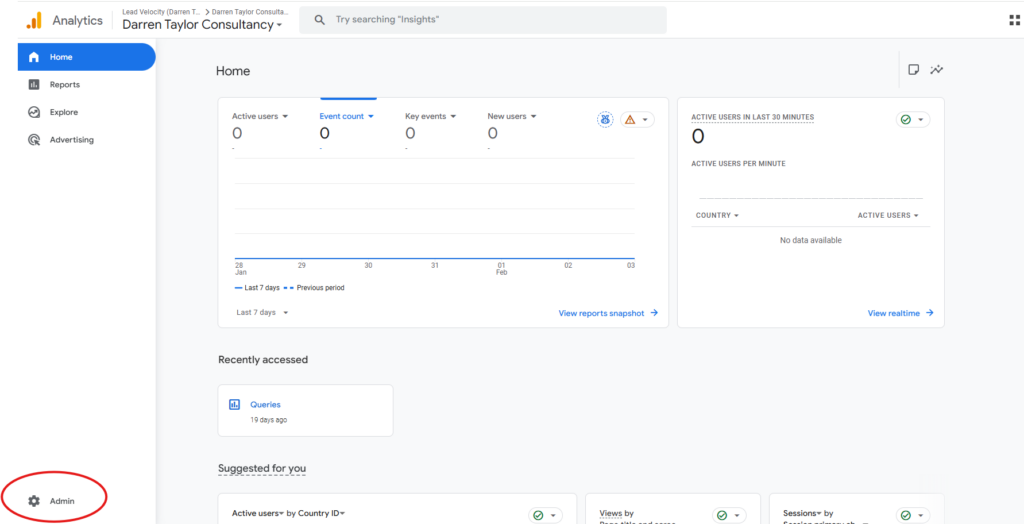
Then navigate to account management and access
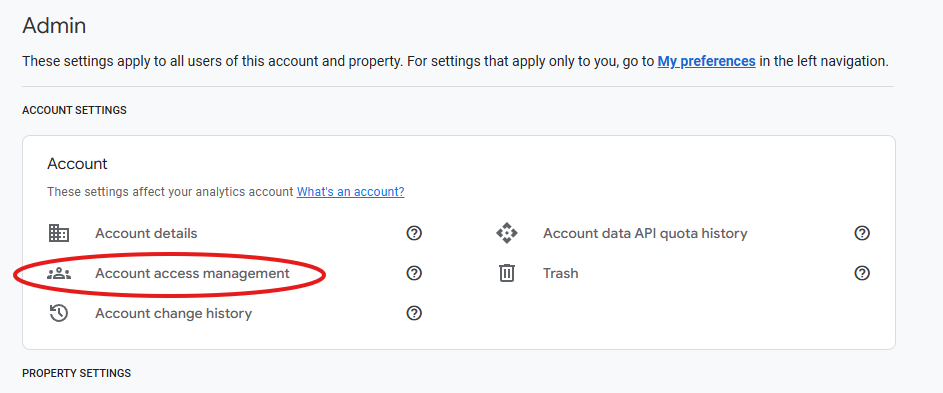
Click the blue “+” icon in the top right corner to add a new user
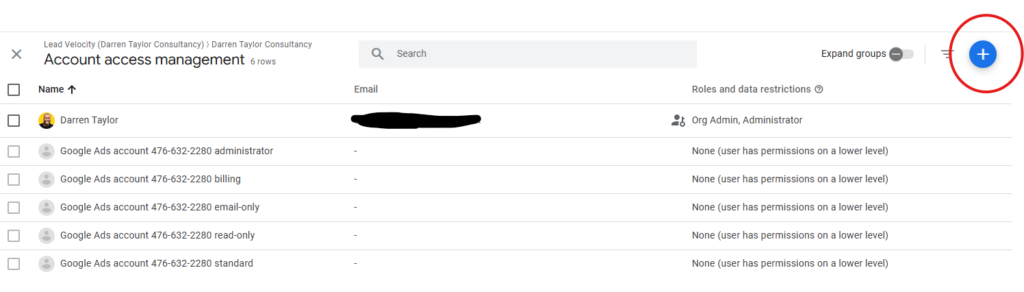
Add the required email addresses by entering them at the top of the page and set the Direct roles as a “marketer”
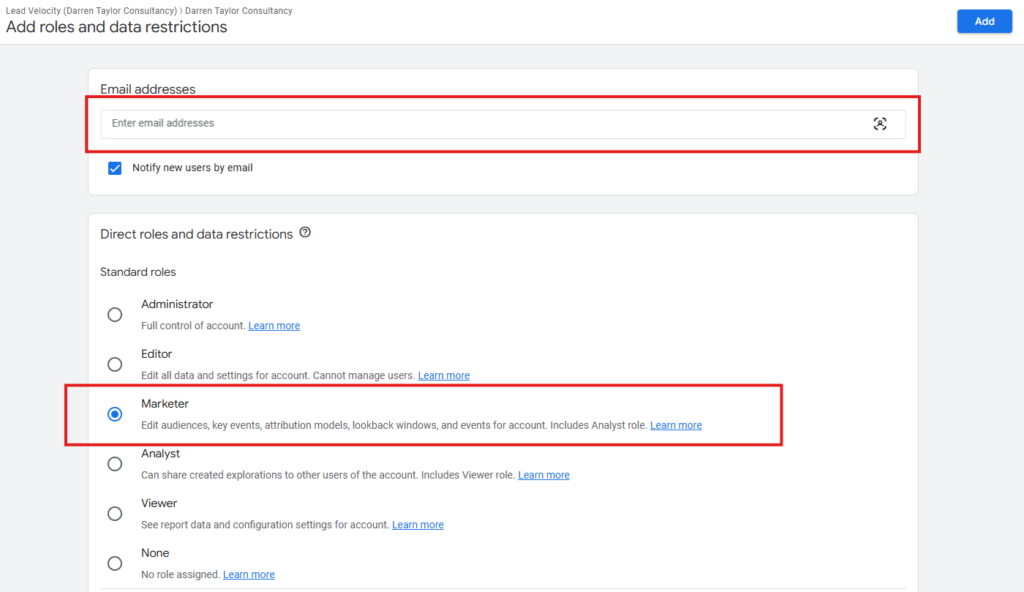
Once the emails have been added, click the blue “Add” button to complete the process